Tesla referral · Spain · Real experience
Tesla referral: my experience with 1,000 free Supercharging km
✅ Link checked on 25 Oct 2026: shows 1,000 km free Supercharging
I took delivery of my Model Y on September 24, 2026. The 1,000 referral Supercharging km were already showing in my app when I collected it.
Ordering one? Open my link and check the benefit Tesla offers before you confirm.
The button opens Tesla in a new tab. Current benefits and terms are shown there.

In my case, from delivery
1,000 Supercharging kmPersonal experience, not a promise of a future promotion. Illustrative model image.Hi, this is Referido Tesla
From order to delivery, no hidden fine print
This section shares a Tesla Model Y referral experience and highlights what to check before placing an order.
- May 25, 2026 · OrderI used my friend Alex’s referral link.
- September 24, 2026 · DeliveryI took delivery of my Tesla Model Y.
- Since delivery · Benefit availableThe 1,000 free Supercharging km were already showing in my app.
Before placing your order
Three steps to use the link
Start from the referral link
Open my link and continue on Tesla’s official website.
Review your configuration
Choose your vehicle and check the benefit available for that order.
Confirm with the terms clear
Before paying, check that the referral and benefit are shown. If they are not, contact Tesla.
One important check
Opening the link alone does not mean the referral was applied
Check the benefit on Tesla’s website before confirming your order. If you switch browser or device, reopen the link and check again.
Do not assume you can add a referral later. Ask Tesla directly before cancelling or changing anything. This website cannot change your order.
Straight answers
Before using my referral
Does it cost anything to use the link?
I do not charge for sharing it. The price and purchase terms are those Tesla shows for your order.
Will I receive exactly 1,000 km?
That was the benefit on my order and it is now available to me. For a new order, check the offer Tesla shows when you open the link: promotions can change.
When do the kilometres appear?
In my case, they were already there when I took delivery on September 24, 2026. This is not a guaranteed timeframe for other orders. Check your app and contact Tesla if a confirmed benefit is missing.
Do they expire or have limits?
Check the expiry date and terms in your app and order promotion. They are not unlimited charging or a cash balance.
What do you get for sharing it?
I may also receive a programme reward if its terms are met. That is why I identify referral links and explain my experience.
Is this website owned by Tesla?
No. It is an independent website run by an owner. The purchase, application of the benefit, and terms are determined by Tesla.
For your questions
Guides for before and after ordering
How to use the referral
What to check before confirming your order.
Read the guide →When the kilometres appear
My delivery experience and where to check the benefit.
Read the guide →Referral, grants and Spanish income tax
How to distinguish Tesla’s promotion from public grants.
Read the guide →Moving to Spain? Read how to buy a Tesla in Spain as a foreigner.
Choose your car at Tesla
Model 3 or Model Y?
Check available versions, prices and benefits in Tesla’s official configurator. The referral link is the same; it does not reserve a model for you.
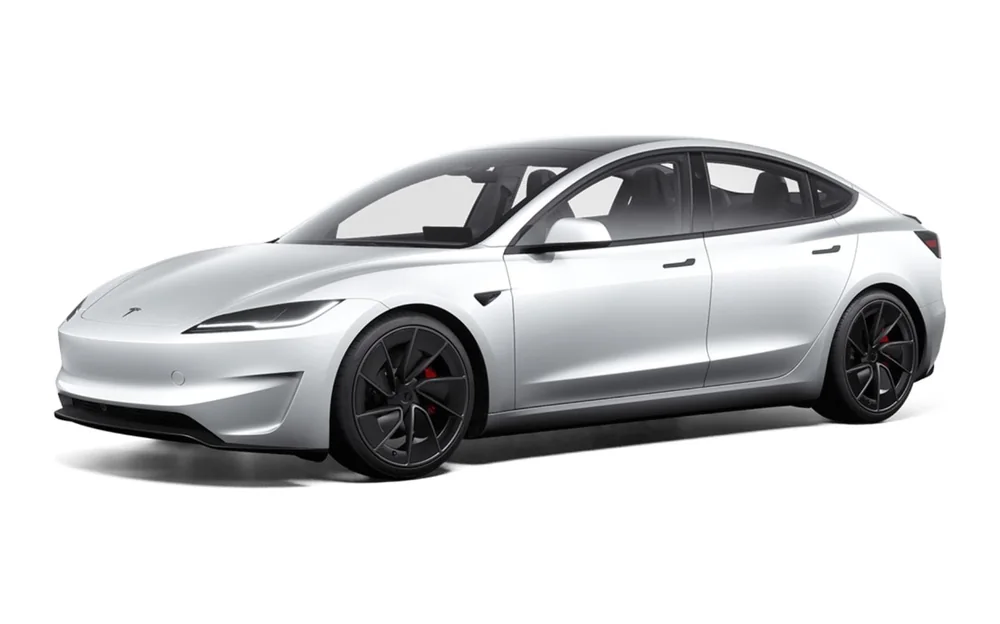
Model 3
Check current versions and terms directly with Tesla.
View the Tesla referralModel Y
This is the model in my experience. Check the offer for your own order.
View the Tesla referralYour next step
Check which benefit is available to you
Open my link and review Tesla’s terms before confirming your order.
No savings promises and no obligation to buy.